Specifications
From the retailer
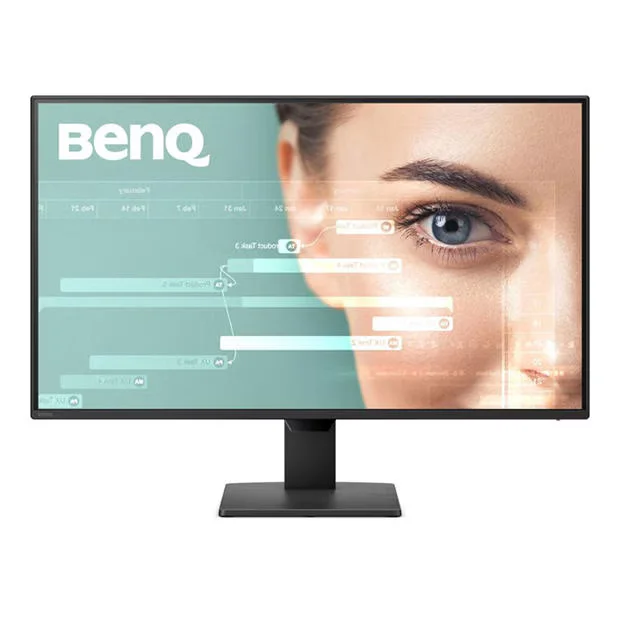
GW2790P 27 inch1080p FHD 120Hz BenQ Eye-Care Home Office Monitor
- Screen Size: 27 Inch
- Panel Type:IPS
- Response Time: 1 ms
- Resolution:1920x1080From Bright Mornings to Late Night SessionsAdaptive brightness for comfortable viewing throughout the day. Gentle on your eyes, even in low-light environments. Productivity Starts with Eye ComfortEye strain shouldn’t limit your potential. Leave eye care to BenQ and let all-day eye comfort help sustain your productivity.
Focus in Every LightVisual Optimizer (formerly B.I.+) automatically adjusts to changing light, minimizing eye fatigue to support your productivity all day long.
Cut Blue Light, Not True ColoursLow Blue Light relieves eye strain and blurry vision without the yellowish tint.
Verified Eye Comfort You Can TrustTUV Rheinland, a globally recognized authority in safety and quality testing, certifies BenQ monitors to meet strict international standards for long-term visual comfort.120 Hz Fluidity for Seamless FlowWork, stream, and scroll with effortless clarity. 120Hz keeps your vision stable and sharp, even through the most intense tasks, keeping you at your best for the long run.
Connect to Your Peak FlowInstant HDMI and DisplayPort connectivity ensures a seamless workflow, reducing setup distractions to fuel your long-term productivity.
FeaturesModel Number: GW2790PBrand: BenQScreen Size: 27 InchResolution: 1920x1080 Panel Type:IPSMax Refresh Rate:120Hz Response Time: 1msSpeakers: 2 x 2wConnectivity: 1 x HDMI, 1 x DP
Where to Buy
No UK retailer price on record for this one yet.
We don't list Amazon prices, so this is a search rather than an offer. As an Amazon Associate, VantaSpec earns from qualifying purchases.
Price History
Price history
Price Intelligence
User Reviews (0)
No reviews yet. Be the first to review this product!
More Gaming Monitors



Embed this price on your site, blog or forum post
Shows the cheapest UK price we have read in the last two weeks, the shop and the date we checked it, and updates on its own. Use the card where HTML is allowed, or the image badge on forums that block iframes.